


If your next login asks for a code from your email instead of your authenticator app, that is expected. On 28 November 2026 Jagex detected unauthorised access to some of its systems and reset all authentication tokens, so your next verification code goes to the email address on your Jagex Account. Here is what Jagex has confirmed, and the order in which to put your login back in shape.
What happened on 28 November
Jagex says the data that may have been accessed is email addresses, hashed passwords and authenticator token information. A password hash is a one-way value that cannot be turned back into your password, but a weak or common password can still be guessed, so a new password still matters. Jagex's initial investigations indicate that no game information, payment details or other sensitive data was exposed.
Jagex took its login servers offline as a precaution shortly after it found the access. Its status page listed logins as unavailable from 11:00 UTC and brought them back at 20:00 UTC; after that, Jagex said many players were still struggling to log in under heavy load. As of 28 November, Jagex has not said how many accounts were affected, and it says it will post updates if its investigation finds more. Its news post has the full statement.
Your next login, step by step
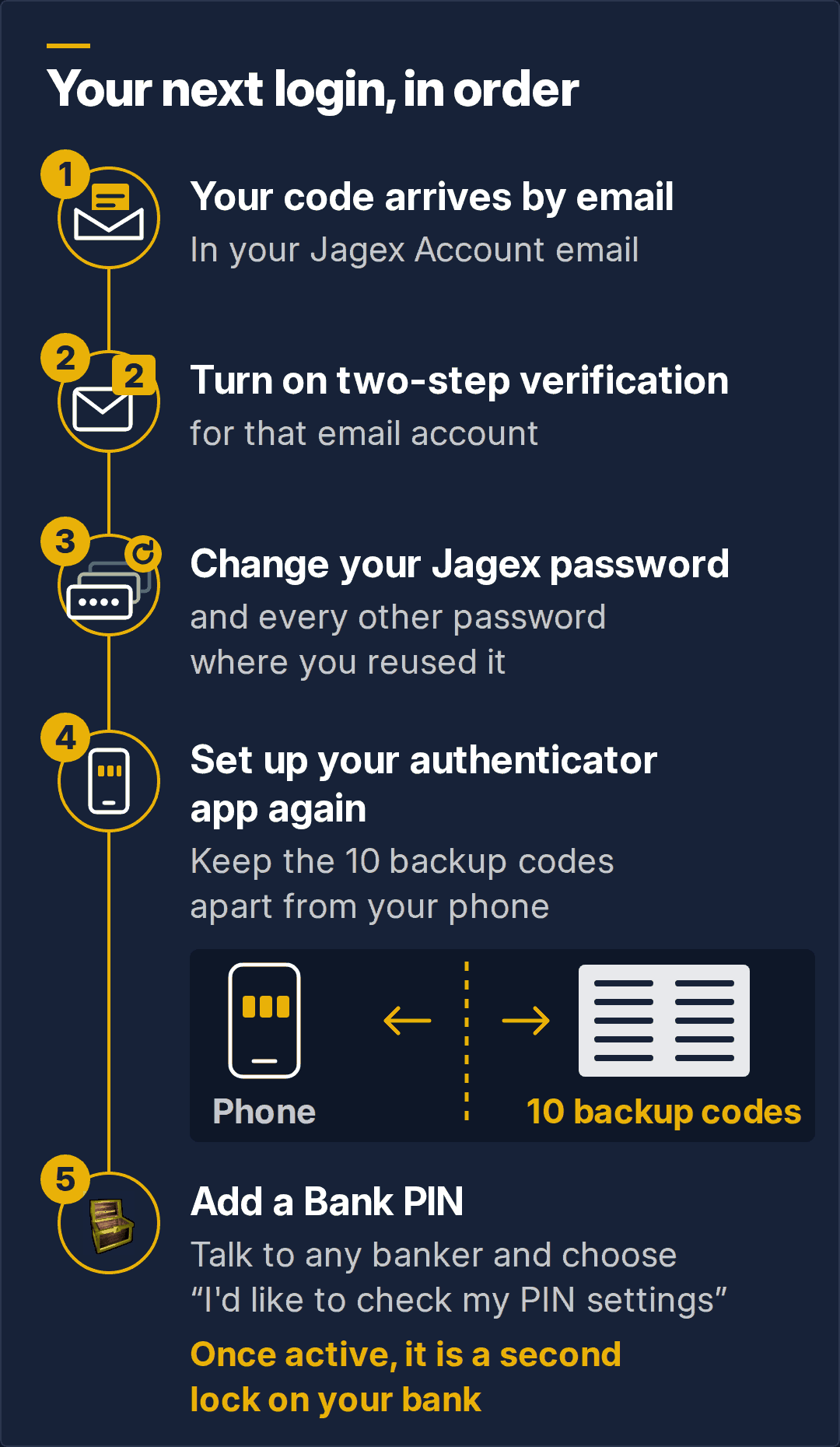
- Get the code from your email. Open Jagex's website or launcher yourself, and take the verification code from the inbox of your Jagex Account.
- Protect that inbox first. Turn on two-step verification for your email account. Jagex has advised this since it launched Jagex Accounts, and right now your email receives your login codes.
- Change your password. Change your Jagex password, and change it on any other account where you used the same one.
- Set up your authenticator again. If you used an authenticator app before, set it up again. Store the 10 backup codes away from your phone: they are your second factor if you lose it.
- Add a Bank PIN. If you have none, talk to any banker and choose "I'd like to check my PIN settings". Once active, a Bank PIN adds a separate four-digit check on your bank, on top of your login.
If the code never arrives or you lost your email
Jagex set up a dedicated Player Support form for players who cannot log in, change their password or update two-step authentication, and says it prioritises getting them back in. If the form asks you to sign in first, Jagex's public Can't log in help page works while you are signed out. A Jagex moderator pointed a player who had lost access to their account email to the incident form. Open it from Jagex's news post rather than from a link someone sends you.
Breach emails: real or phishing?
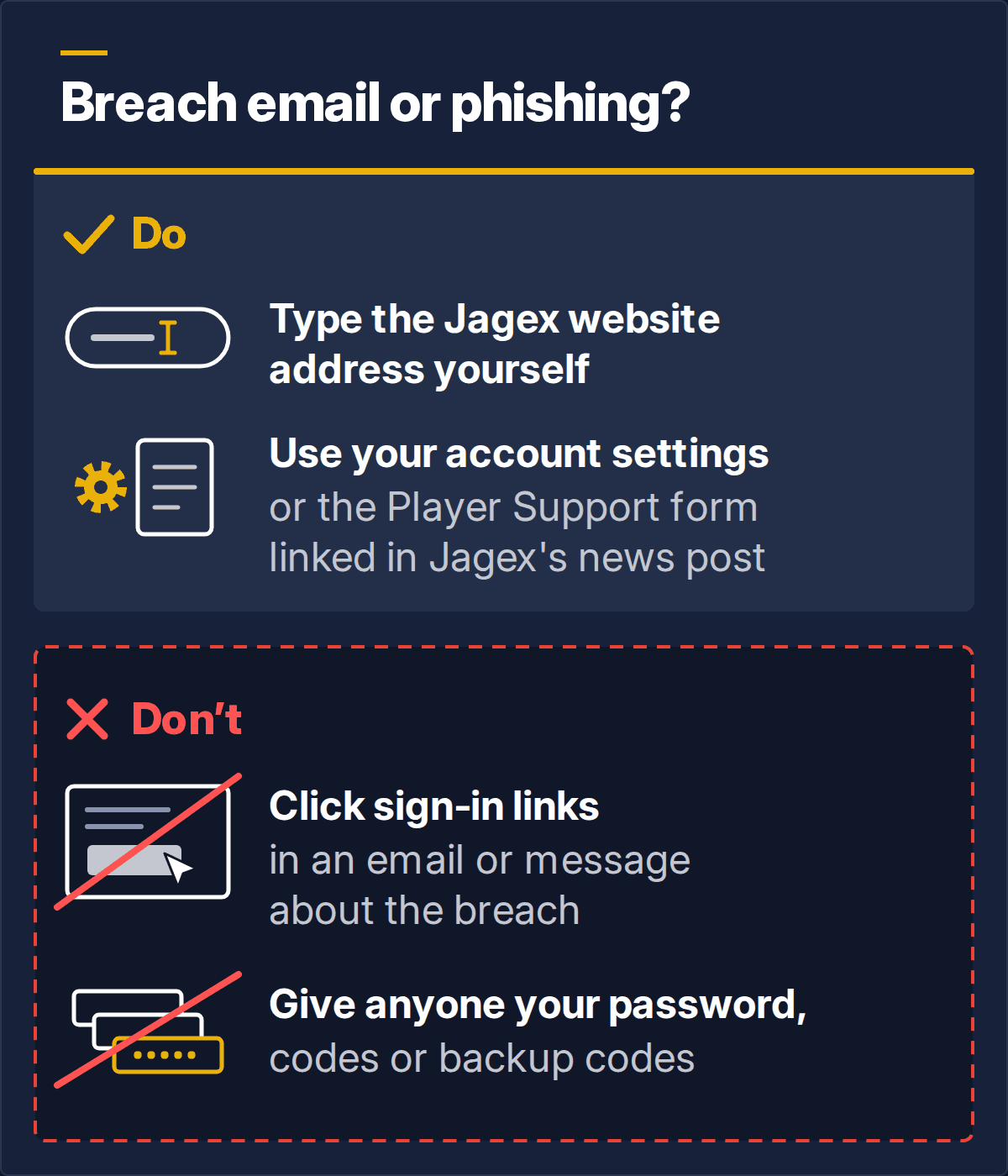
Expect fake "Jagex" emails and messages that use the breach to steal logins. Jagex's advice is to handle anything sensitive directly through its website. Type the address yourself, and never enter your password, email code or backup codes on a page you reached from a link. Our guide to Runescape phishing scams shows the common tricks.
Jagex breach FAQ
Was my OSRS account hacked in the Jagex breach?
Jagex has not said whether any accounts were taken over. Its initial investigations indicate that no game information was exposed; email addresses, hashed passwords and authenticator token information may have been accessed, so change your password and set your two-step authentication up again.
Why is my Jagex login code going to my email?
Jagex reset all authentication tokens after the breach, so your next verification code goes to your Jagex Account email. If you prefer app codes, set your authenticator up again after you log in.
Do I have to set up my authenticator again?
If you had two-step authentication on, Jagex recommends setting your preferred method up again. With an authenticator app you get 10 backup codes; keep them away from your phone.
Is the Jagex breach over?
Jagex says it has contained the situation, its login servers are back online and game access is restored. Its investigation continues, and it says it will post updates if it finds more.


